
WeChat Image
Downloader
Save every image from a WeChat article or photo post in one click. Icons filtered out automatically, files named so they sort by date and author.
Save every image from a WeChat article or photo post in one click. Icons filtered out automatically, files named so they sort by date and author.
No copying URLs, no right-click-save-as, no icons in your folder.
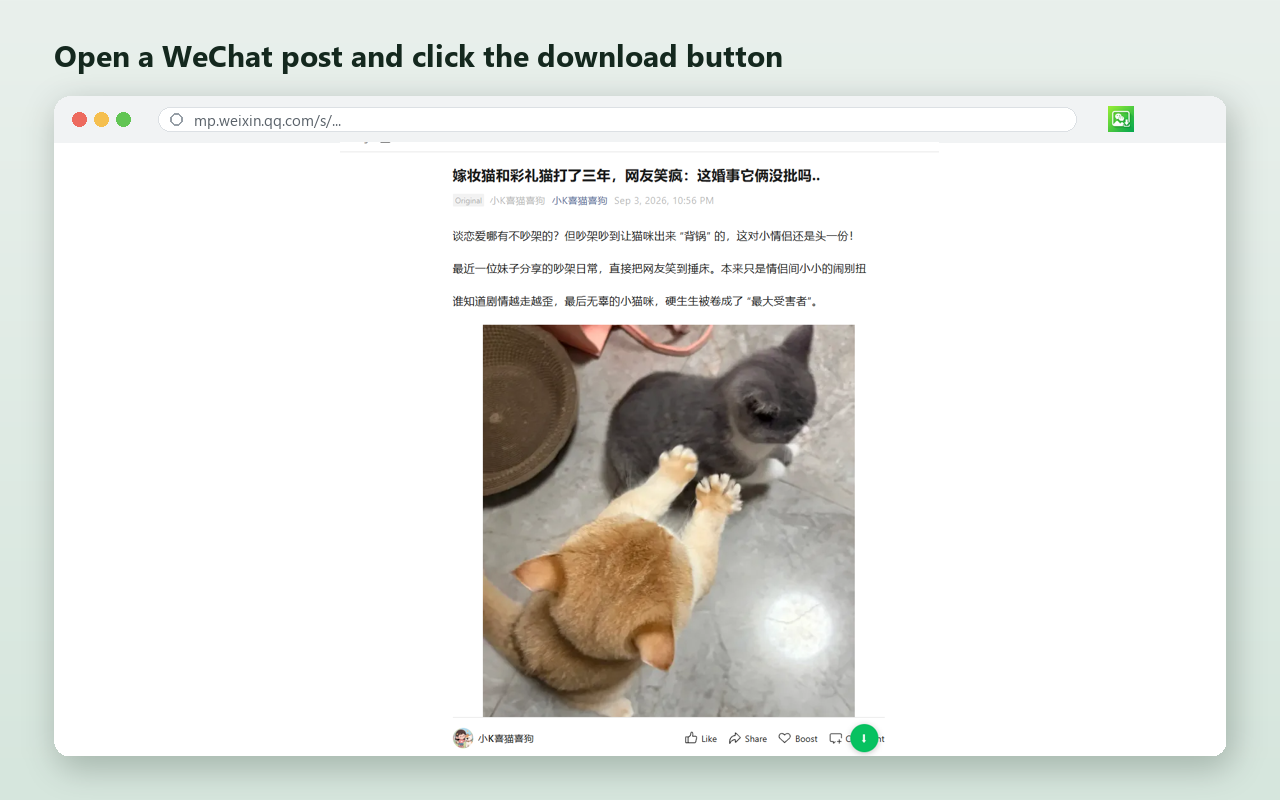
Visit any WeChat article or image post on mp.weixin.qq.com.
A small download button sits right by the images. One click.
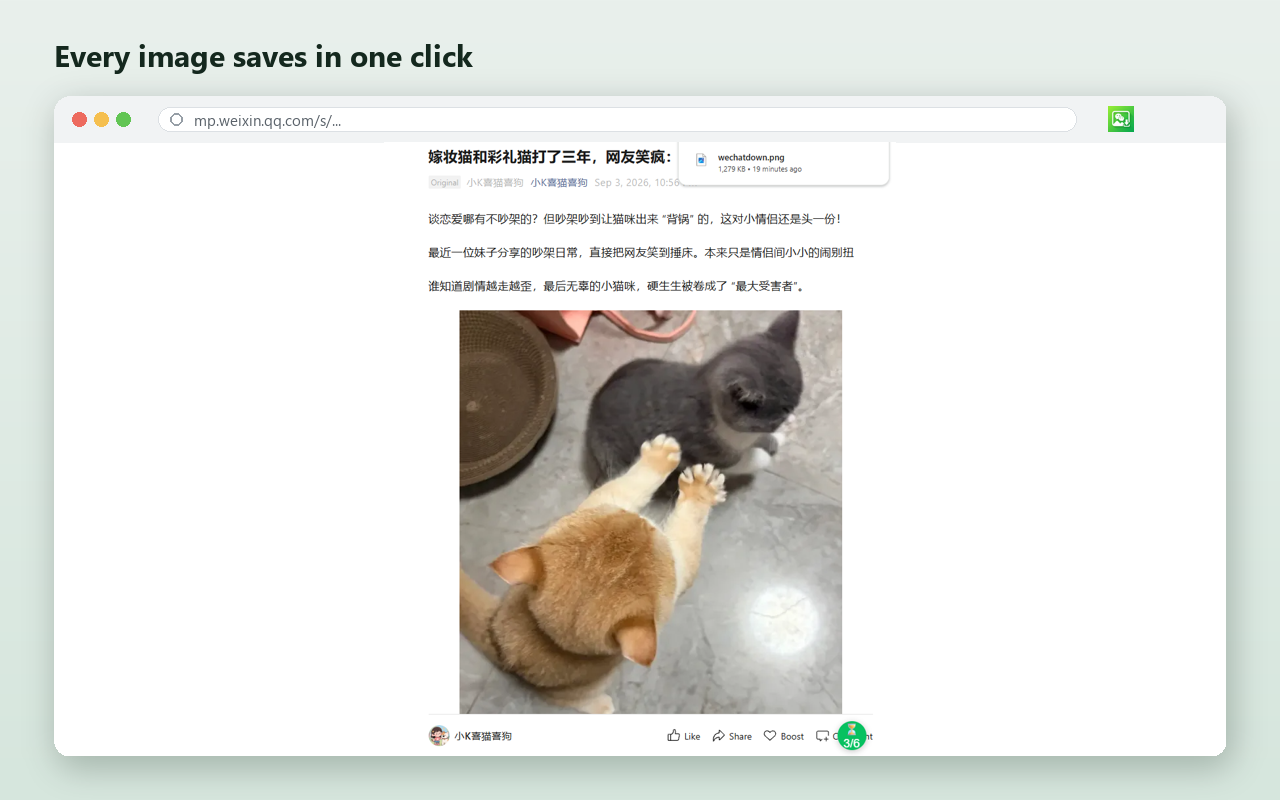
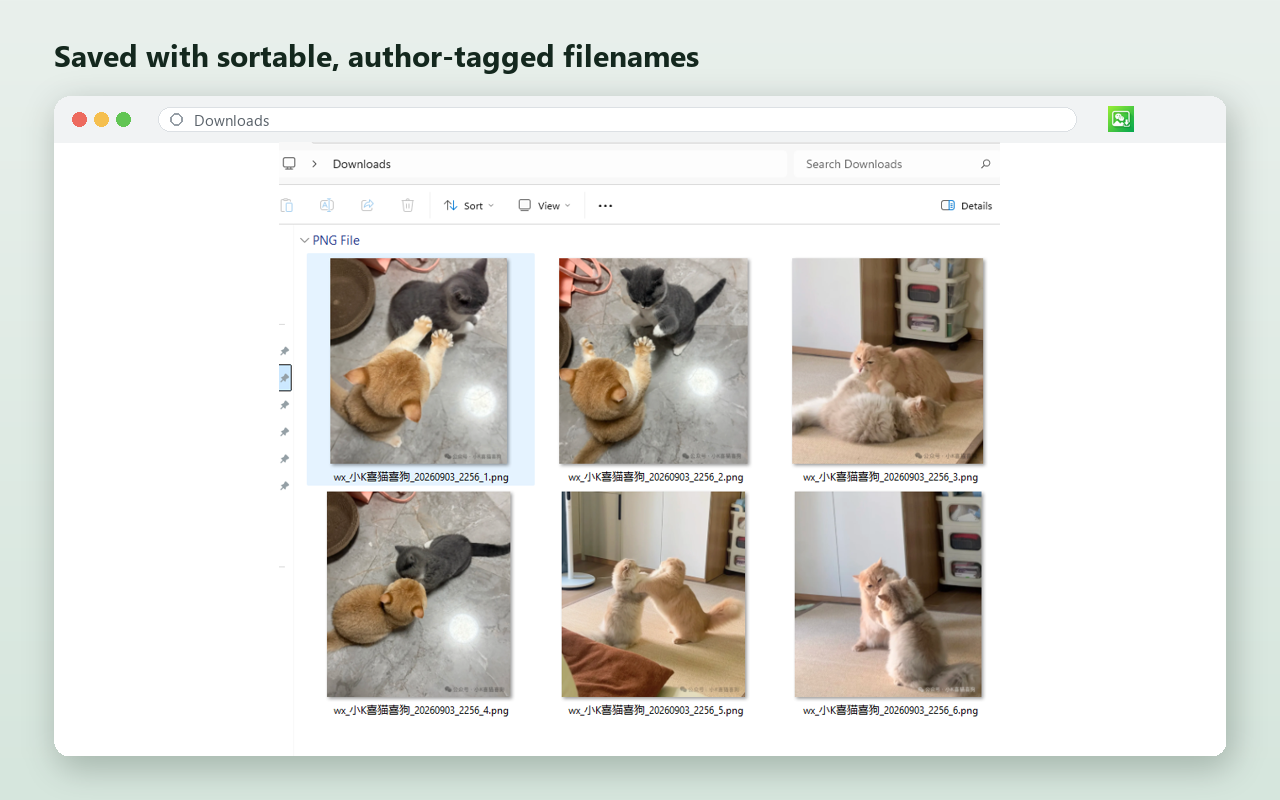
Every real photo is saved to your Downloads folder — no icons, no clutter.
Handles both classic articles and the newer photo-gallery layout.
Grabs the whole post at once — not one image at a time.
Logos, avatars and QR codes are skipped. Only the real photos.
Saved as wx_author_20260526_0331_01.jpg — sorts by date automatically.
Fetches the original image, not the compressed web preview.
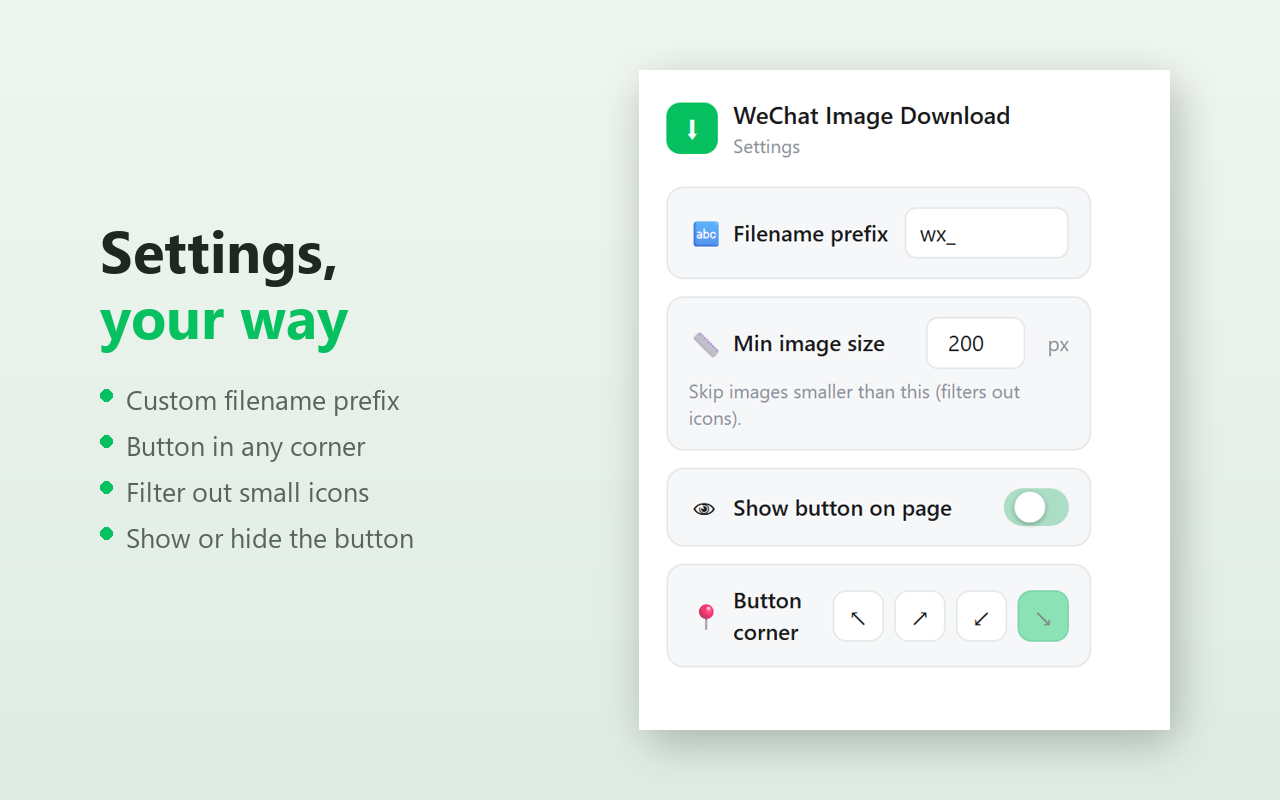
Custom filename prefix, button position, and icon-size filter.
Runs entirely in your browser. No accounts, no servers, no tracking.
Screenshots from a real WeChat post.
Images are fetched and saved entirely inside your browser. Nothing is uploaded to the developer. There are no accounts, ads, analytics, or external tracking.
Read the full privacy policy